
Playwright, for native apps.
Gives AI coding agents eyes, hands, and a reproducible lab over a CLI and an MCP server. Desktop sessions, Android emulators, screenshots, input, and logs.
curl -fsSL https://pickforge.dev/picklab/install.sh | sh
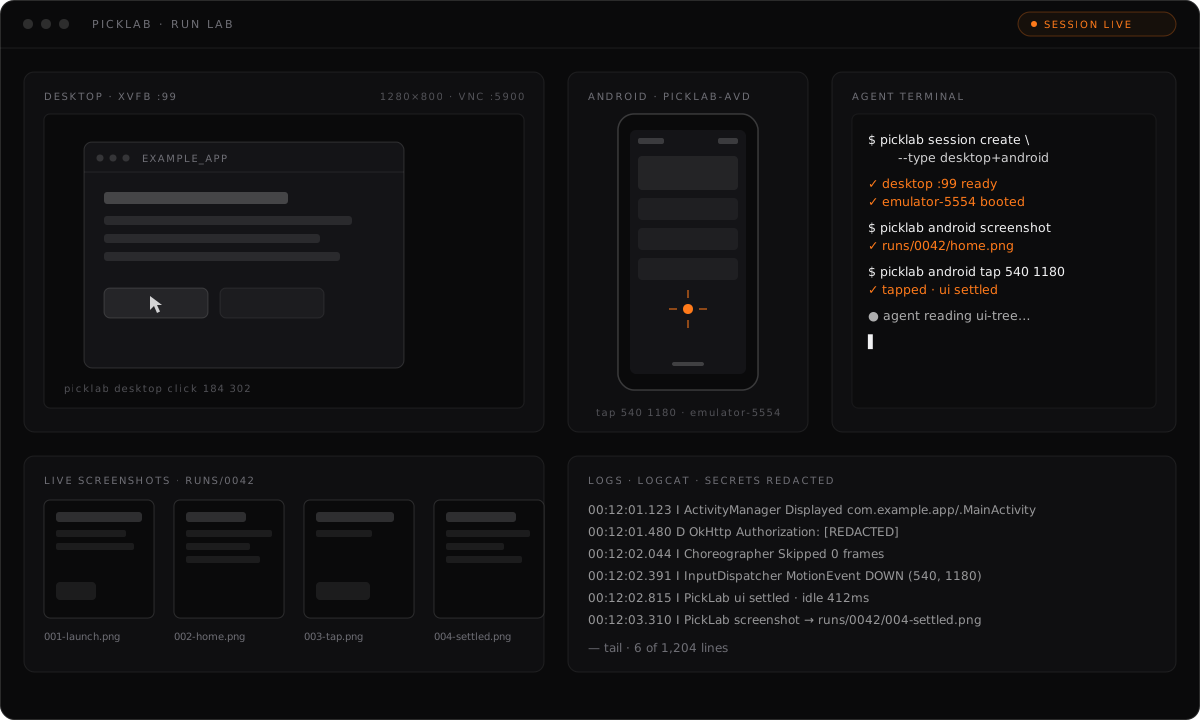
Inside PickLab
PickLab provisions desktop sessions on Xvfb and Android emulators on a dedicated AVD, then hands an agent the tools to drive them: launch, screenshot, click, type, install an APK, read logs. Every action lands in a run manifest, so what the agent did is inspectable after the fact.
22 MCP tools over stdio
Sessions, desktop control, Android automation, and artifacts, exposed to your agent as MCP tools plus addressable picklab:// resources.
Every run is reproducible
Each screenshot, log, and action lands in .picklab/runs/<id>/ with a manifest, so a run is inspectable and repeatable after the fact.
Concurrent, isolated sessions
Each session gets its own display or emulator, so several agents and projects can run labs side by side without colliding.
Safe by construction
MCP tools never invoke sudo. Inputs are spawned as argument arrays, VNC binds to loopback only, and logcat is redacted before it is stored.
Install PickLab
Ships picklab and picklab-mcp. Desktop sessions are Linux/Xvfb today; Android automation uses your local Android SDK. The installer never uses sudo.
Prefer npm? npm install -g @pickforge/picklab
MCP tools never invoke sudo, all user inputs are spawned as argument arrays, VNC binds to loopback only by default, and artifacts are redacted before they are stored or returned.